
Before shortlisting 3D Printer Slicer, map RFQ preparation for early research
Define the use case before comparing tools
When an operations team starts an RFQ, a 3d printer slicer should be treated as part of the planned workflow, not as an isolated software purchase. Begin by describing the work the team expects to support. The official ideaMaker page lists rapid prototyping, architectural models, jigs and fixtures, rapid tooling, end-use parts, and low-volume production. Those categories can help structure the first requirement discussion, but they do not by themselves establish suitability for a particular part, machine, or process.

Write down the intended application in plain terms. Identify whether the early research concerns prototypes, fixtures, tooling, production parts, or several of these uses. Then record the materials, printer types, operators, and review points that matter to the project. Keep confirmed requirements separate from assumptions. For example, a request for “high quality” should become a question about the surface-quality or print-speed priorities that the supplier must address, rather than an unsupported acceptance claim.
Map page evidence to each requirement
A useful RFQ draft has three columns: requirement, page evidence, and open question. This format prevents a broad product description from being mistaken for a complete technical answer. It also gives reviewers a traceable reason for including each question.
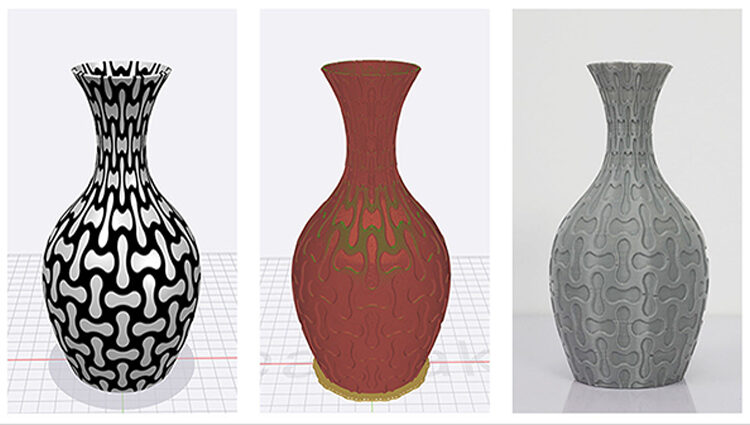
The official page states that ideaMaker provides a preview by simulating the tool path and showing information such as speed, layer height, extruder, and structure type. That evidence may support a requirement for reviewing planned print details before a job is sent onward. It does not prove a specific result for every model or material. In the RFQ, ask which preview information is available for the intended workflow and how the team should use it during approval.
The same page describes specific slicing profiles for Raise3D materials, including filaments and resins, and says that different profile strategies address surface quality and print speed. For procurement, this is a starting point for a materials-and-printer matrix. List the exact material family, printer configuration, and desired trade-off. Avoid turning the page statement into a general promise about every third-party setup.
- List the intended application, such as rapid prototyping, jigs and fixtures, or low-volume production.
- Map preview requirements to the details the page says ideaMaker can show, including speed, layer height, extruder, and structure type.
- Ask how material profiles and surface-quality or print-speed strategies apply to the exact printer and material scope.
- Ask whether localized parameter changes are needed by group, layer, or volume for specific parts.
A concrete anchor for raise3d slicer research is the official Professional Tools for Professional Users page. It states that ideaMaker can change parameter settings selectively by group, by layers, and by volume for specific parts of loaded models. That bounded statement is useful when an RFQ asks about localized control. It should remain tied to the stated ideaMaker function and should not be expanded into an unverified claim about overall performance or application fit.
Turn open points into supplier questions
Once the evidence has been mapped, convert every unresolved assumption into a question that a supplier can answer consistently. Ask which printer and material combinations are covered by the proposed workflow. Ask how profiles are selected, changed, documented, and approved. Ask what information appears in the preview and which details the operator can inspect before release.
Also ask how the team would handle parts that need different settings in different regions. The page evidence about group, layer, and volume selection gives this question a clear scope. It does not answer how a particular organization should configure its process. That distinction matters in an early RFQ because it keeps supplier responses comparable without pretending that research has already settled the operating method.
Where the project includes more than one printer type, state that fact directly in the request. The page lists FFF, Dual IDEX, flexible and fiber-reinforced filaments, and an enclosed build chamber as supported areas or configurations presented for the software. Use those listed terms to organize questions, while requiring the supplier to identify the exact scope that applies to the proposed equipment. Do not assume that a category label covers every model or material.
Build a defensible next step
After the first supplier responses arrive, score the answers against the original requirements rather than against marketing language. Mark each point as confirmed, partly answered, or still open. Preserve the source wording for important claims, and record the question that would resolve each gap. This creates a decision record that can survive changes in project ownership and keeps early research from becoming an undocumented preference.
A sensible next step is to issue a focused RFQ addendum with the intended application, material and printer scope, preview requirements, and questions about localized parameter control. Request responses in the same order for every candidate. The goal is not to select a slicer from a single page. It is to establish whether the documented workflow matches the operation the team is planning, with assumptions clearly visible. That approach gives Raise3D a fair place in the comparison while keeping the final decision tied to evidence and the project’s actual requirements.